This review is sponsored by JBL and all opinions are my own.
Some quick background about the reviews on this site.
I utilize the popularity of reviews to help raise Autism awareness. People visit to read the review and there's a good chance they walk away knowing a little more about Autism, Autism Parenting and how Autism can impact the average family.
It's no secret I'm a techie but I approach these reviews from the perspective of the average consumer, and when appropriate, how an Autism family can benefit from the use of the product or service. Sometimes I reach out to companies and sometimes companies reach out to me. My views and opinions are my own.
The Link View by JBL
For about the last two weeks, I've been using a brand new device by JBL, called the *Link View. *If you're familiar with Google Home, you've already got the basic idea of what we're dealing with here.
[foogallery id="82558"]
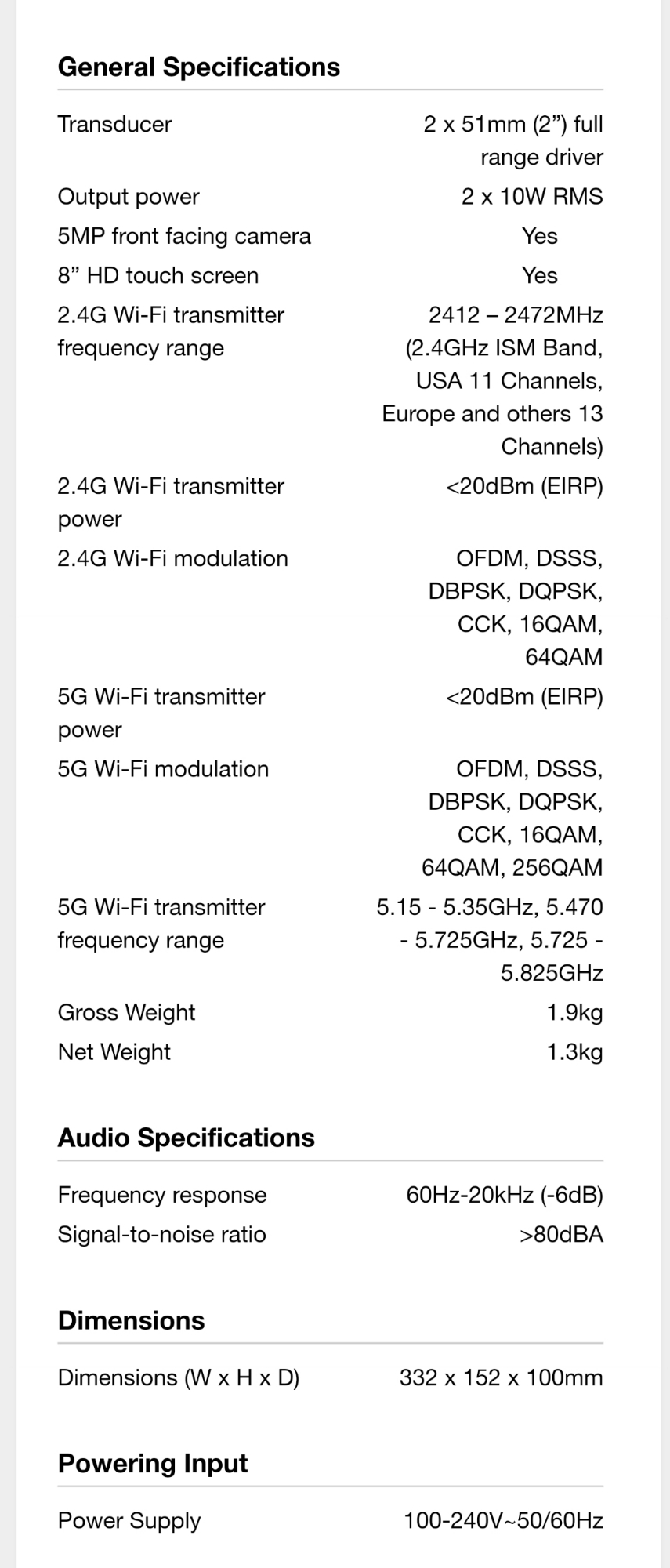
The Link View retails for $249 and what sets it apart from your standard Google Home device is stereo speakers, a rear-facing subwoofer or bass speaker, front-facing camera and most notably, an 8" HD smart display nestled in between the two front facing speakers. The display allows for touch interactions. You can interact with Google Assistant using the touchscreen, as well as controlling things like music, movies, videos, smart lighting, news, weather, scheduled appointments, and screen brightness.
The smart display adds a tremendous amount of functionality and convenience to the already highly functional Google Assistant.
A Closer Look
The Link View is JBL's first attempt at a Smart Display with Google Assistant and only one of two currently on the market. As I said earlier, I've been using the Link View for about 2 weeks, but I've been using Google Home since it was released.
I'm not going to discuss the merits of Google Home but instead, focus on the device it's currently residing in. When deciding to purchase a device such as this, it's more about the implementation and functionality of the device housing Google Assistant because everything else is pretty standard.
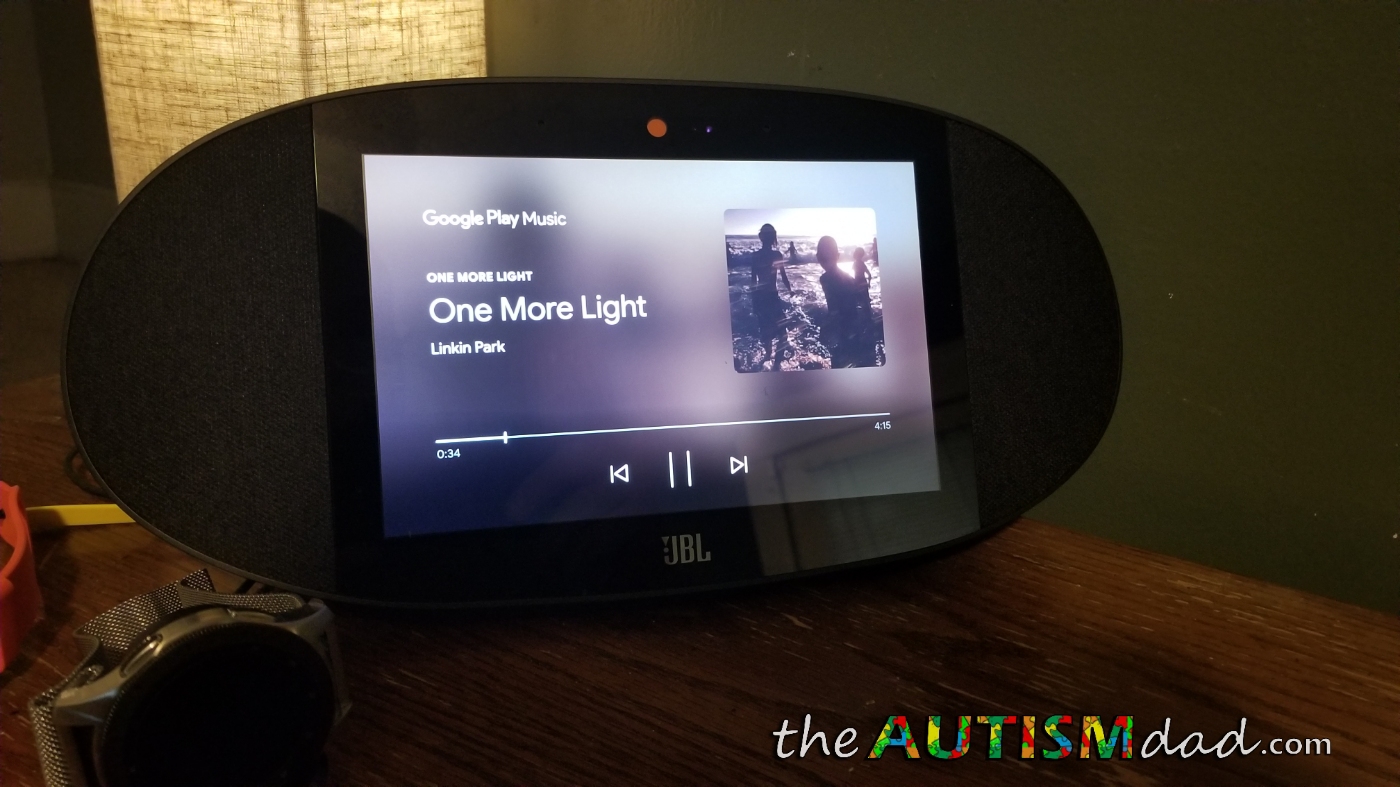
The Link View is a very sleek, solidly built, attractive device that sorta resembles a watermelon cut in half (long ways). It's all black matte finish looks good pretty much anywhere in my house. The face of the device is completely flat and houses a large HD display, measuring 8" corner to corner. The display is LCD and looks good. I personally prefer OLED panels on my phones, tablets, and TV. LCD's are always disappointing to me but it's all about personal preference.
The screen JBL is using for the Link View is sharp, colorful and very bright. Like I said, I'm not a huge fan of LCD's in general but I was impressed with the quality of the smart display.
The quality of the screen matters because you're going to staring at it every time you look at this device.
When you speak to Google Assistant, the ans
wers to your questions are displayed directly on the screen, along with hearing Google's verbal response.
You can cast things like YouTube and YouTube TV, as well as stream movies from Google Play Movies, directly to the Link View. You can't however, stream Netflix, at least not yet.
The screen looks good and the ambient light sensor allows it to dim or brighten based on the ambient light in the room. This is actually my only gripe with the Link View at this point.
In my experience, the screen adjusts nicely in bright light but at night, it gets too dark.
I'm sure this is something JBL can adjust with an update at some point but it's annoying, especially because mine sits on my nightstand, and nighttime viewing can be difficult.
I find myself disabling the auto-brightness for this reason.
Touch sensitivity is solid. It's very responsive when using the on-screen controls to pause, play and skip during movie or music playback.
Just for fun, I actually watched *Avengers: Infinity War *on the Link View the other day, partly because I wanted to see how it worked and partly because it was easier than watching it on my phone while I was laying in bed. It looked and sounded great, especially considering it was a 4K movie streaming to an HD display. I was seriously impressed with the overall sound quality coming from the stereo speakers, as well as the bass being pumped out from the back of the device.
I should also point out the microphone does an amazing job of picking up voice, even while music is playing.
If you've used a Google Home or even an Amazon Echo, there are few things more annoying then the device not hearing you when you need it to. This is common, especially during music playback at higher volume levels. The Link View has performed very well in this area. I rarely have to repeat myself, even when music is already playing.
Frankly, I wish my kids listened as well. ☺
Learning to use and navigate the Link View is incredibly simple. If you've ever interacted with Chromecast on your TV, you'll be very familiar with what you are dealing with in this Smart Display. The main difference is the addition of touch capability.
Usage Scenarios
In our house, we use Google Play music and the Link View allows us to either play music directly from Google Play via verbal command or we can stream music from our tablet/smartphone via the built-in Chromcast. You can also stream music the old fashioned way via Bluetooth if that wets your whistle.
We use Chromecast for a large part of our media consumption but it's nice to have Bluetooth available if you happen to be offline.
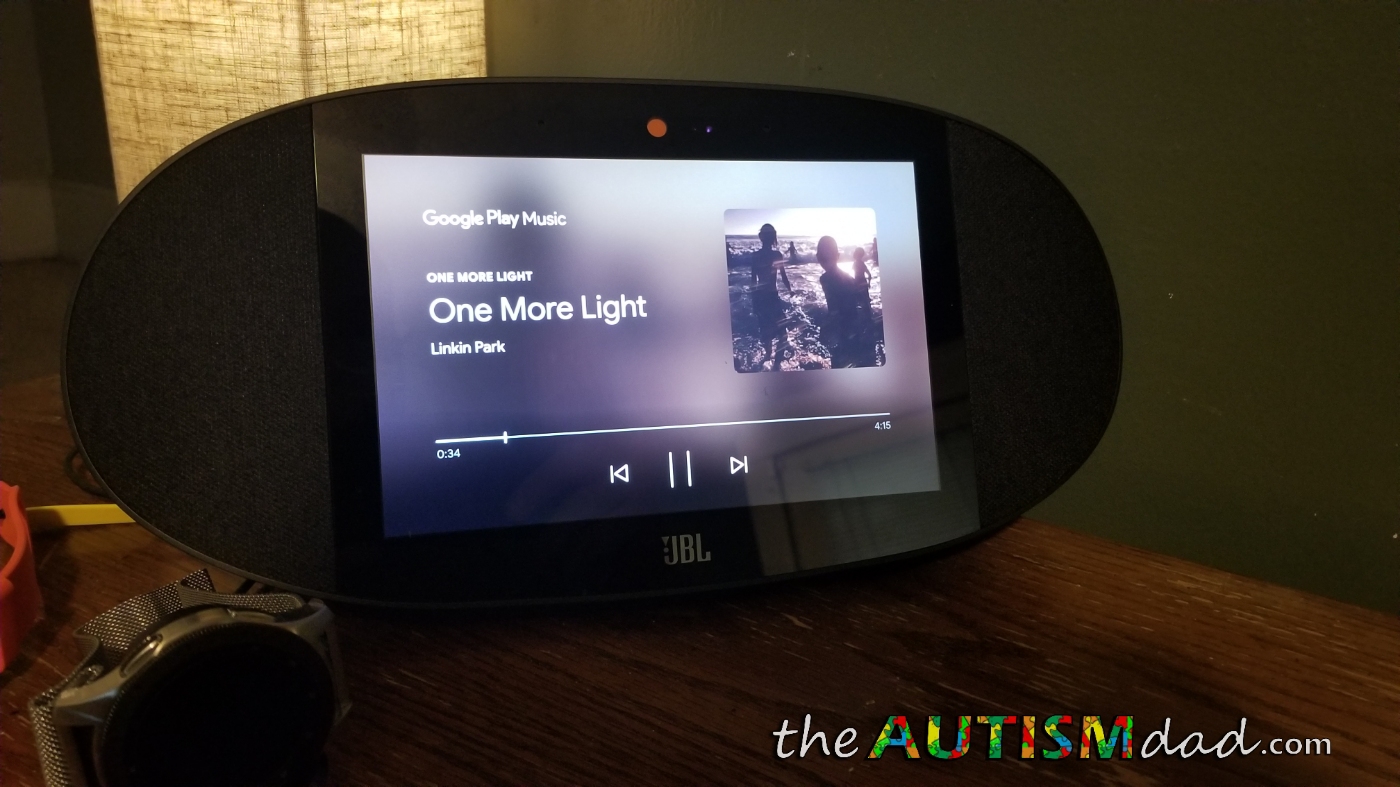
The sound is what you'd expect from JBL. It's really good and can be played at louder levels without distortion. It's perfect for filling a room with music, listening to audiobooks and even things like white noise. In our house, we are always listening to music because doing so can have very real benefits for kids with Autism.
Music has a positive impact on kids with Autism. In my family's experience, it can be calming, distracting and even help promote better sleep.
Above the screen is a 5MP camera for video calling using Google Duo. The Link View even comes with a built-in *PrivacySwitch* that covers the camera and mutes the microphone when not in use. I wish that came standard on more devices but sadly it doesn't. Kudos to JBL for including this in the Link View.
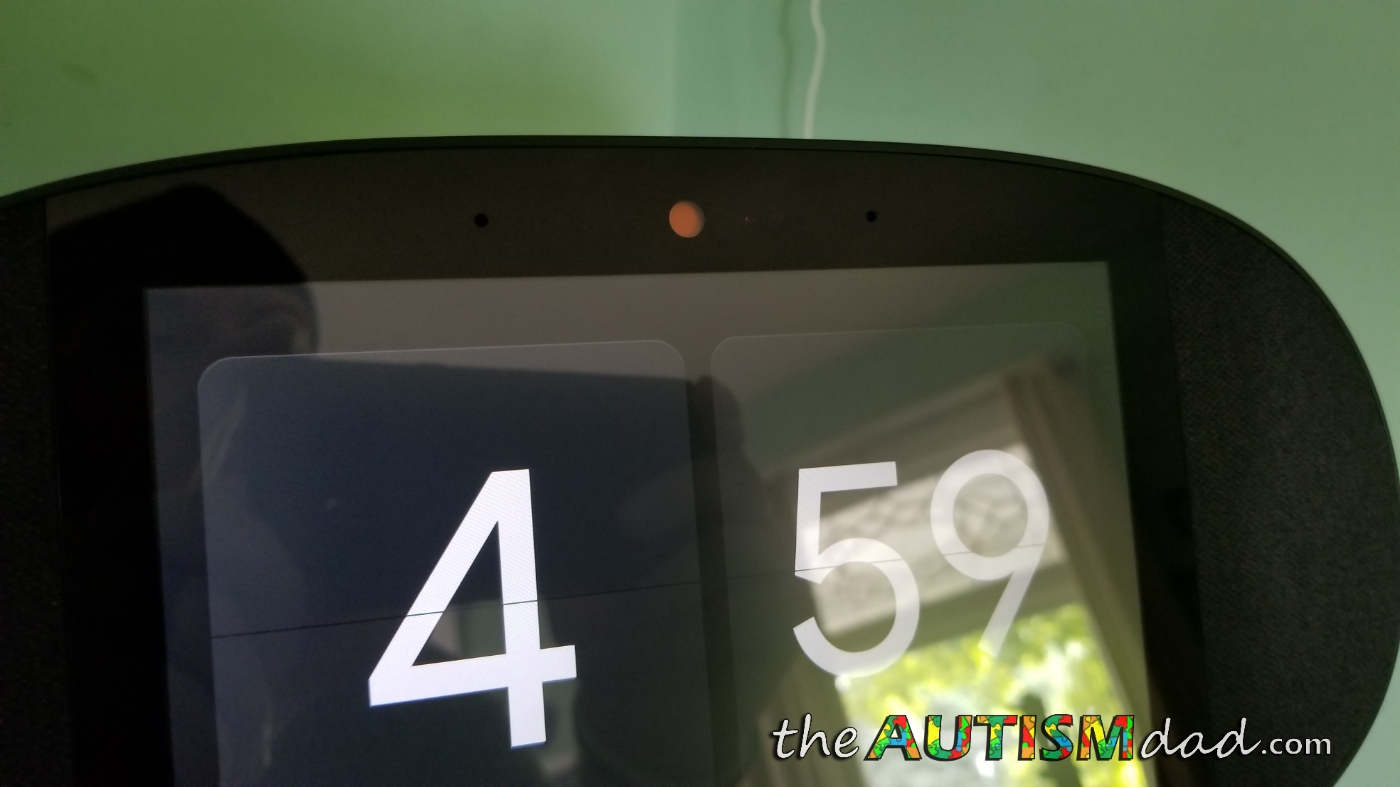
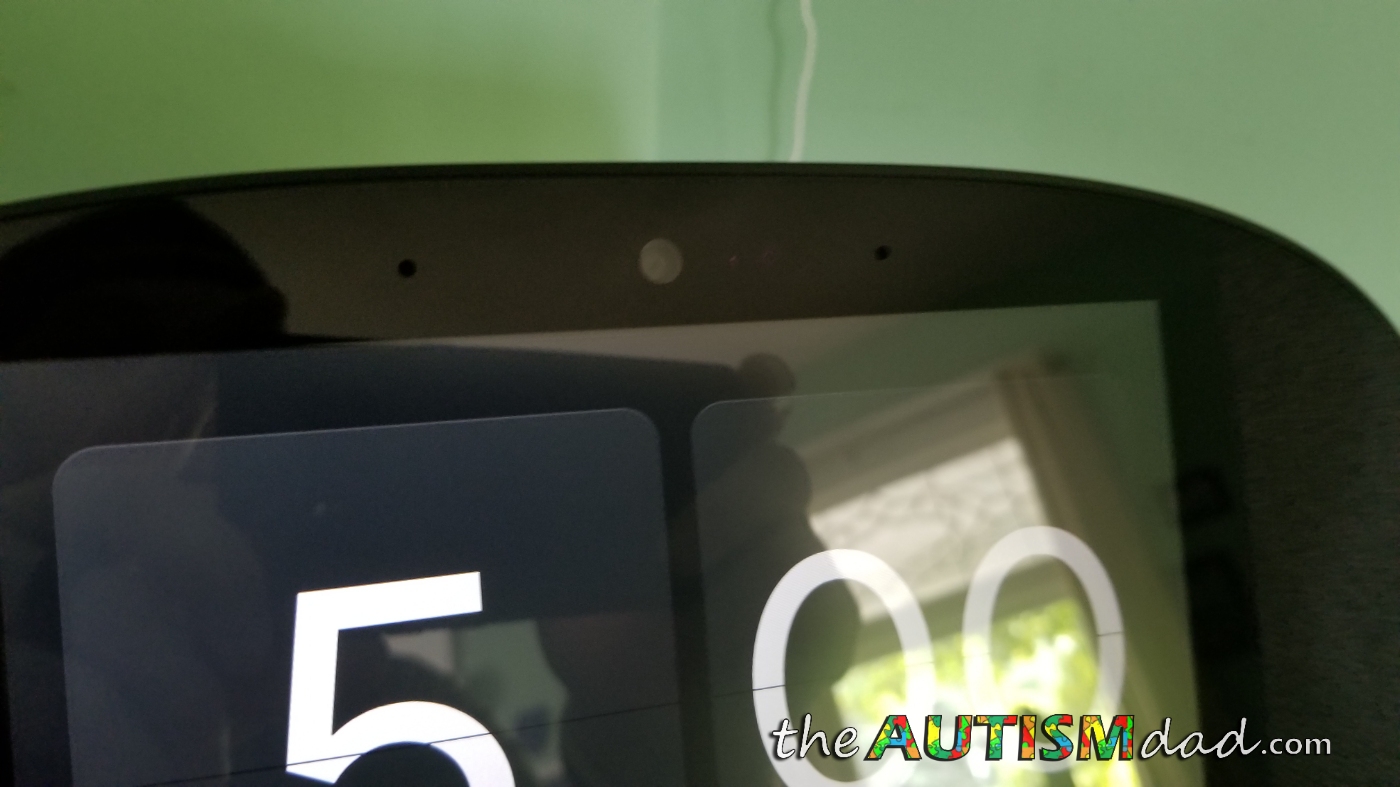
Video calls via Google Duo worked well and it's kinda nice to have the ability to make and receive video calls on something other than a smartphone or tablet. It makes for a really good, hands-free experience.
Google Home has become such an invaluable tool in our daily life and the addition of the smart display only makes it more useful.
We are always controlling lights, checking the weather, displaying recent pictures, playing music, asking questions, setting alarms/reminders, checking our schedule or managing our alarm system. The addition of a built-in display really ups the benefits and usage scenarios.
My kids are able to cast media, lookup and or play their favorite YouTube videos directly on the Link View. If you're an Autism parent, you're probably all too familiar with YouTube and the endless hours spent watching the same video over and over again. As annoying as it can get for us as parents, it's comforting for our kids and that's all that matters. The Link View is perfect for these situations.
My kids have been using Google Home to assist with homework related questions for a while now. The addition of the HD screen on the Link View allows the answers to be displayed right on the screen. Gone are the days of looking things up in the encyclopedia. Now kids can just ask Google and the most up to date information will appear right on the screen for them to read.
Straightforward and intuitive, the Link View is something that can benefit any family. The learning curve is almost nonexistent.
I'm very, very impressed with the Link View in my hands-on time with it.
Nothings perfect but aside from the sometimes finicky auto-brightness, I can't find any reason not to recommend this to my readers. It would be nice to see it a bit more portable by including a built-in rechargeable battery but I have my Link 20's for that.
Final Thoughts
After two solid weeks of putting this through as many use scenarios as possible, I'm walking away very impressed. As an Autism family, life is chaotic on the best of days. Devices like the Link View and Google Home, in general, can be enormously helpful. Being able to view valuable information at a glance or set timers, alarms, reminders and ever add events to your calendar is crazy helpful.
The Link View improves upon the already amazing Google Home experience in just about every way. If you're looking to streamline your life, make information easily accessible, control your smart devices, watch videos, listen to music, display your pictures, manage your appointments, make video calls, spice up a dorm room or help your kids with homework, you can't go wrong with the Link View.
Here are my final review scores.
Sound Quality: 5/5
Display: 4.5/5
Build Quality: 5/5
Overall Value: 4.5/5
If you're interested in purchasing the Link View for yourself, you can do so at JBL.com. It retails for $249 and in my opinion, it's a good value for all you get.
*I want to thank JBL for sending out the Link View and in the process, helping me raise Autism Awareness along the way. ☺*