
*This review is sponsored by Shark. They sent me the new Shark Ion Robot Vacuum to review. The review contains my own opinions and thoughts as to the Shark Ion Robot Vacuum. I was not influenced by anyone or anything. Please help me share this review*.
Shortly before the recent holidays, I received a large box from Shark. If you're not familiar with the company, they make some pretty amazing vacuums and steam mops among other things.
Inside this box was the brand new Shark Ion Robot Vacuum. Having never used one of these things before and only ever seeing one in the store, I had no idea what to expect. Below are my thoughts, personal experience and whether or not I would recommend this product to anyone.
[foogallery id="68376"]
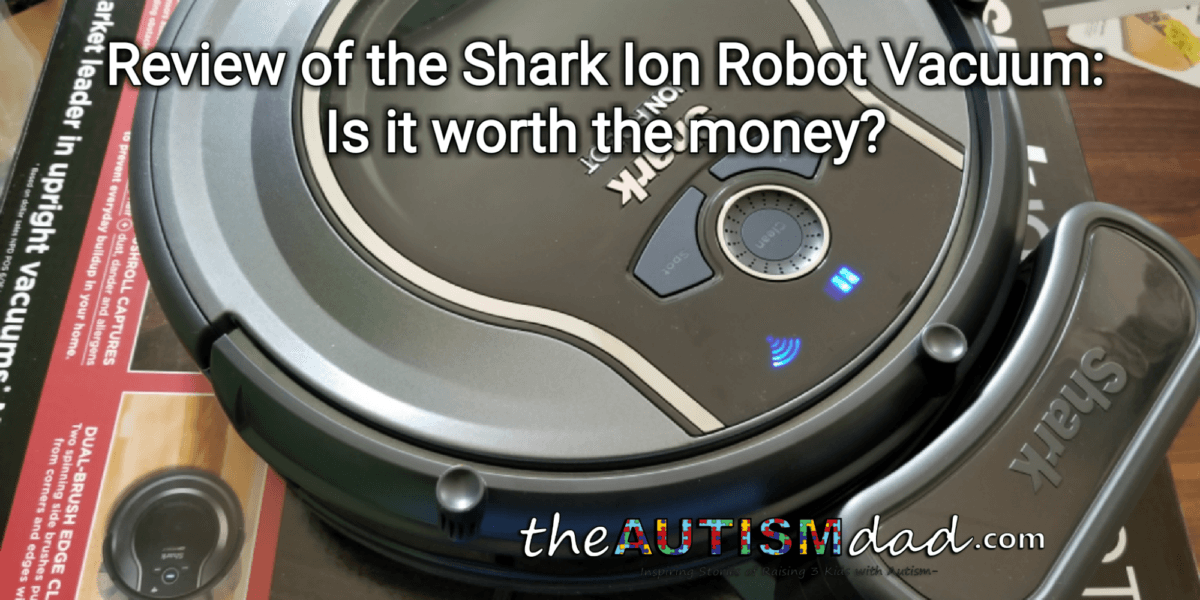
As you can see in the above pictures, the Shark Ion Robot is a very attractive, round piece of cleaning technology. It's got a very shiny (and easily scratchable) black top. The sides are a matte gray and the front bumper is matte black.
The top of the Ion Robot has three buttons.
The *Clean *button is pressed to manually send the Ion Robot on its cleaning adventure.
The *Spot *button will manually send the Ion Robot on a local cleaning binge. Maybe your kid spilled some dry cereal on the floor and you want the Ion Robot to clean it up. Pressing the *Spot *button will have the Ion Robot focus on the immediate area by moving in larger and larger circles in the area you placed it in.
The *Dock *button is pressed to manually send the Ion Robot back to its charging base.
The buttons are clearly labeled and have a satisfying *click* when pressed. There's nothing worse than squishy buttons. ☺
Overall, I'm very impressed with the build quality. It feels very well built and I get the sense that it's quite durable.
You can control the Ion Robot with the buttons I described above or you can use the app on your favorite mobile device. As an Android consumer, I'm only able to test out the Android version of the app but from what I've seen, it works well.
As you can see in the images above, the app is very simple and straightforward. This makes it very easy to use and there wasn't any learning curve necessary.
*Continued on page 2*
Basically, you sign up a free account and register your Ion Robot with Shark. You'll be asked to connect the Ion Robot to your existing Wi-Fi network and that's about it. You're ready to go.
Once the Ion Robot is setup in the app and fully charged on the dock, you simply press the clean button within the app or on the Ion Robot itself to send it in its way. I typically use the app because I can manage it from wherever I am in the house.
The Ion Robot will clean for about one hour before returning itself to the dock in order to charge. If it runs into any problems, you'll hear it beep at you.
I found that the Ion Robot did a really good job of navigating my first floor. As a parent to three boys with Autism and ADHD, our house probably isn't the ideal setup for a Robot Vacuum but the Ion Robot navigated through all the rooms on the first floor without much trouble. It even transitions between carpet and hardwood.
There is a roll of magnetic strip included in the box. This can be used to keep the Ion Robot from entering a certain area of the house. That can be helpful if you want to keep the Ion Robot out of a certain area in a room as well.
After running for about an hour, I was surprised and frankly a little embarrassed by how much the Ion Robot was able to clean off my floors. The collection bin is easily removable, emptied and it seems to hold a decent amount. It's important to remember that this isn't meant to be used as a *shop vac. *Larger pieces of debris can cause a problem, as it would in many other upright vacuums.
Aside from the suction and centralized rotating brush, there are also spinning bristles on each side that help to pull debris in as well. These bristles also help to clean up around walls or baseboards.
I've been very impressed with the Shark Ion Robot. I can schedule it to clean automatically via the app or even send it on its way with my voice, via Amazon Echo integration.
One of the things I really like about this is that it does make life a little bit easier. Raising three kids with Autism isn't easy and I never have an abundance of free time. I'm exhausted a great deal of the time and managing the house seems to always take a back burner. Being able to have the Ion Robot and clean on its own, takes a little bit off my plate.
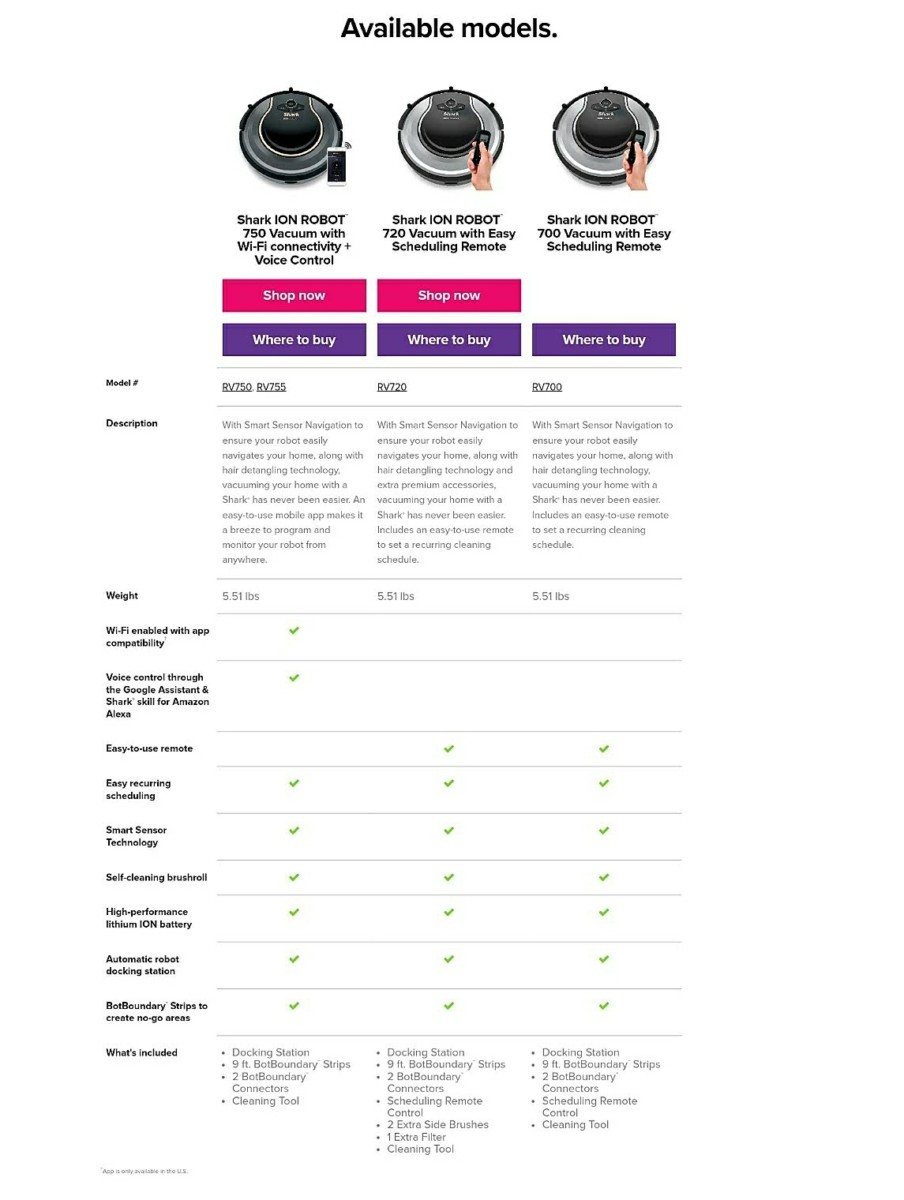
I realize that many of us don't have it in our already strained budgets for something like this but in the event you do, the Shark Ion Robot can be yours for less than $400.00. The Ion Robot can be had in three different flavors. The version I tested was the 750 but here's a comparison of the models.
In my opinion, this is definitely a luxury item but at the same time, it does a really good job of cleaning and takes some of the load off of my shoulders. That's something that I can't ignore.
In the few weeks I've spent with the Shark Ion Robot, I've not experienced any problems with it and honestly, don't have any complaints. As the prices of devices like this continue to drop, I imagine more and more people will be taking advantage of this technology.
Pros:
- Quiet
- Navigates well
- Decent battery life
- Easy to use app
- WiFi enabled
- Decent capacity
- Price
- Build quality
- Returns itself to the dock, more often than not
Cons:
- Shiney, easily scratched top cover
- Sometimes doesn't return to its dock without help
- Will sometimes not see items in its way like socks and suck them up causing cleaning to stop.
You can find more information about the Shark Ion Robot at Sharks website by clicking *<strong class="text-zinc-900 font-semibold">here</strong>**. *